

Chat Chin
An app for car lovers to better explore car services plus emergency assistance
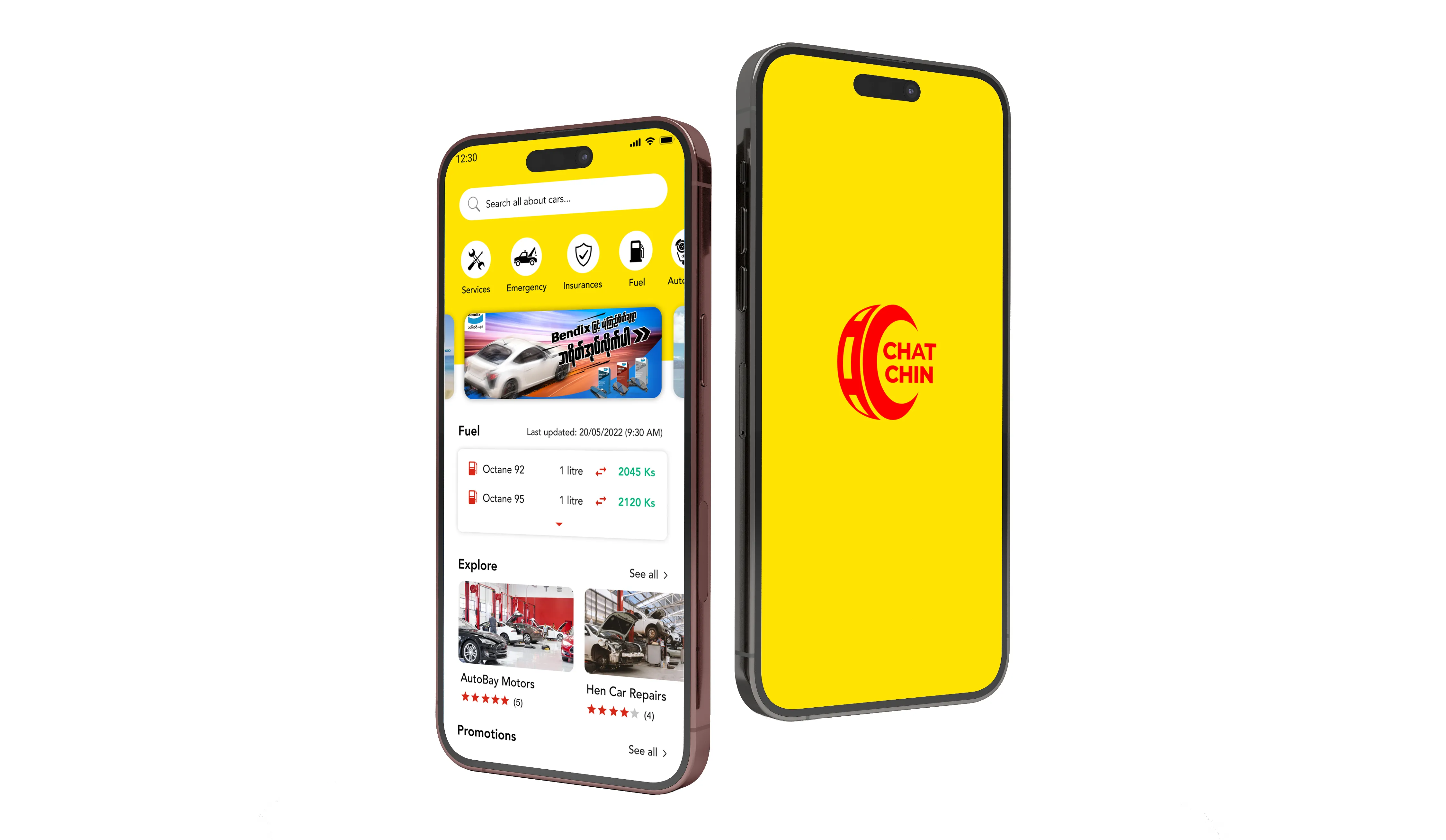
Overview
In Myanmar, there are a few automotive applications for related car services and workshops. When it comes to car emergency, we don’t know where to call and what to do at the moment. That’s how ‘CHAT CHIN’ becomes and we aim to create the community where we all can involve for the better life experiences.
The significance of 'Chat Chin' in burmese meaning is 'Right Now,' encapsulated in our app's slogan for the car lovers: 'All about car services plus emergency assistance.'
Goals
Creating the community for the better life experiences that allows users to check daily updated fuel/ gas prices, updated car news, near-by car services and workshops based on current location, get directions to the shop via google Maps and share the experiences by writing the reviews and uploading the photos.
My Role
Lead Product Designer |
User Research, Interaction, Visual design, Prototyping & testing
Tools
Figma, Adobe Illustrator
A single app by having all the essential informations about cars such as daily fuel price changes, where is the nearest car service centers, new workshop in town, promotions, updated news and emergency assistance for the car.
Product Vision
Our main vision is ‘Connecting people and places around you’. With that in mind:
- We want users to easily find car services or workshops nearby or with specific location and township.
- We want users to easily check daily fuel prices update.
- We want users to aware of the latest car news and events happening.
- We want users to participate in our community where they can help each other by writing the reviews, give star ratings and add photo of their favorite businesses.
As a starting point, we did some market research on car related apps to understand more about the car market and take inspiration from particular features.
Defining the MVPs
Based on our product vision, here’s the key user stories that we want to accomplish in our first MVP.
- As a guest user, I can able to search or browse through car services or workshops near me or with specific location and township.
- As a guest user, I can able to login or sign in with my social media acc (fb), gmail or apple ID.
- Aa a login user, I can able to write review, add photo or add business.
- As a login user, I can able to unlock particular badges by using Chat Chin app.
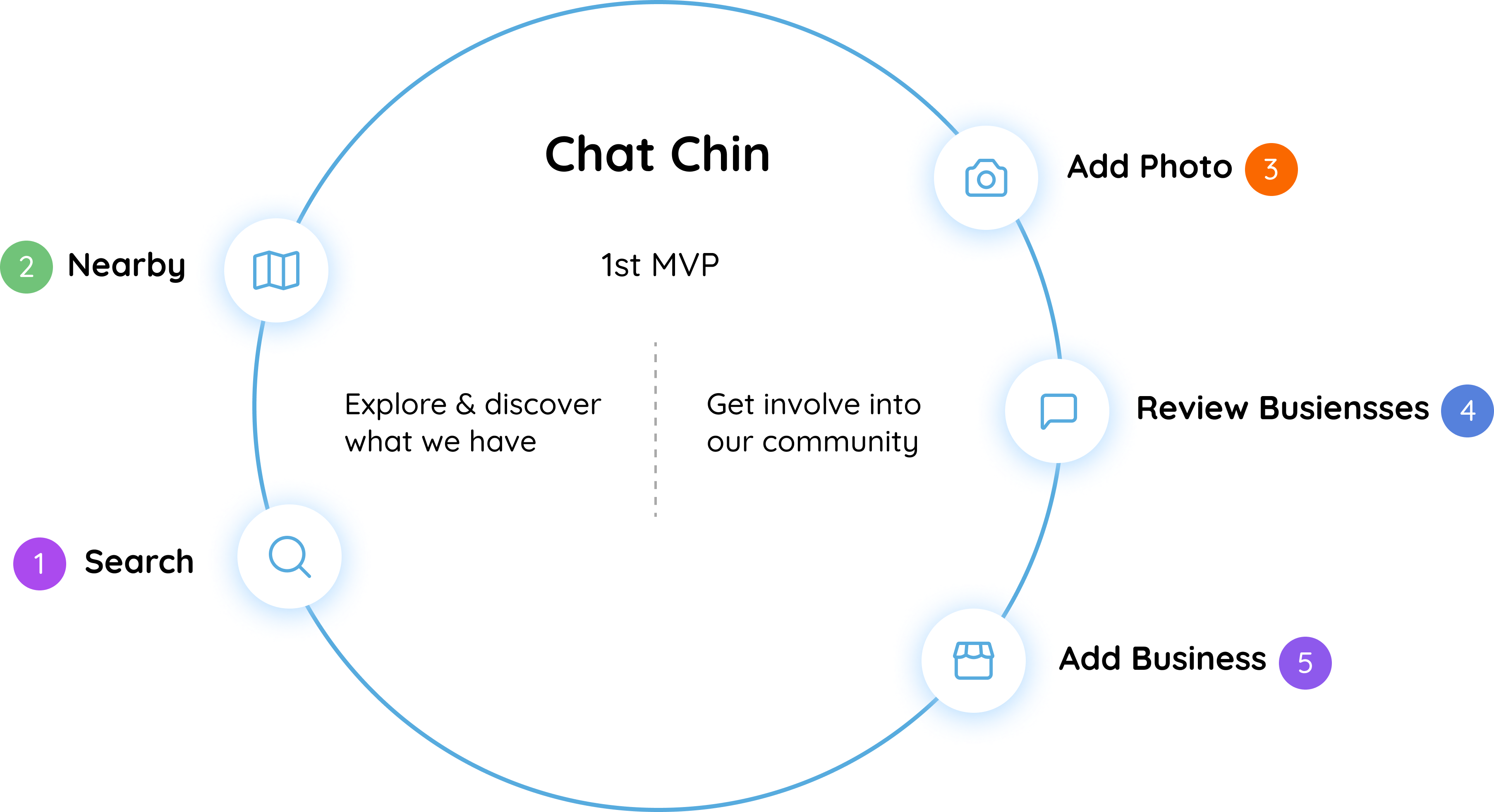
After going through a lot of discussions to help shaped our product roadmap. Here’s the list of our core features for the first MVP.
- Search
- Nearby
- Review Businesses
- Add Photo
- Add Business
Information Architecture
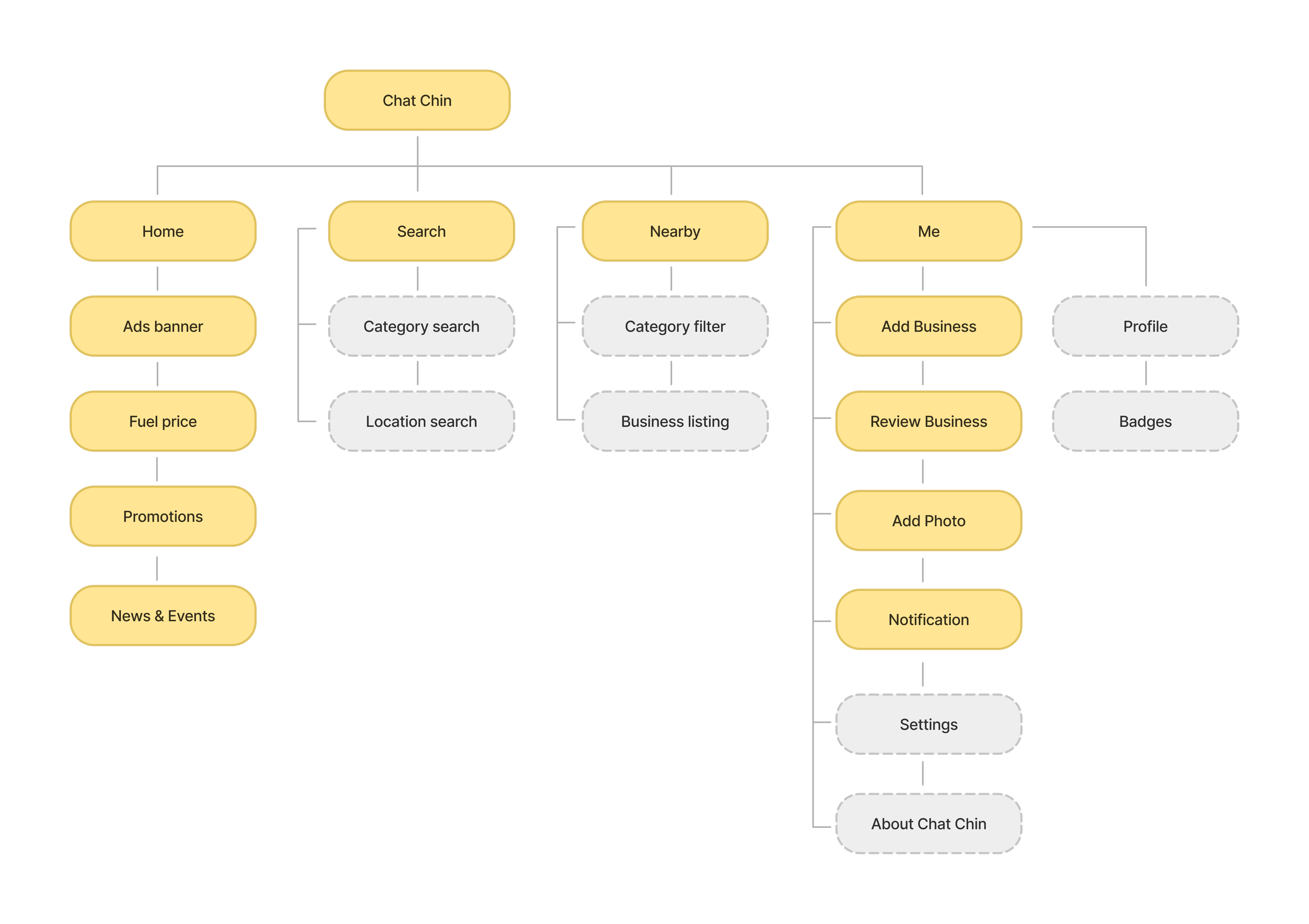
Next step, I proposed the IA to better discuss with my product owner and it helps me to visualize the site map of our product based on the core features.
Mid-Fidelity Wireframes
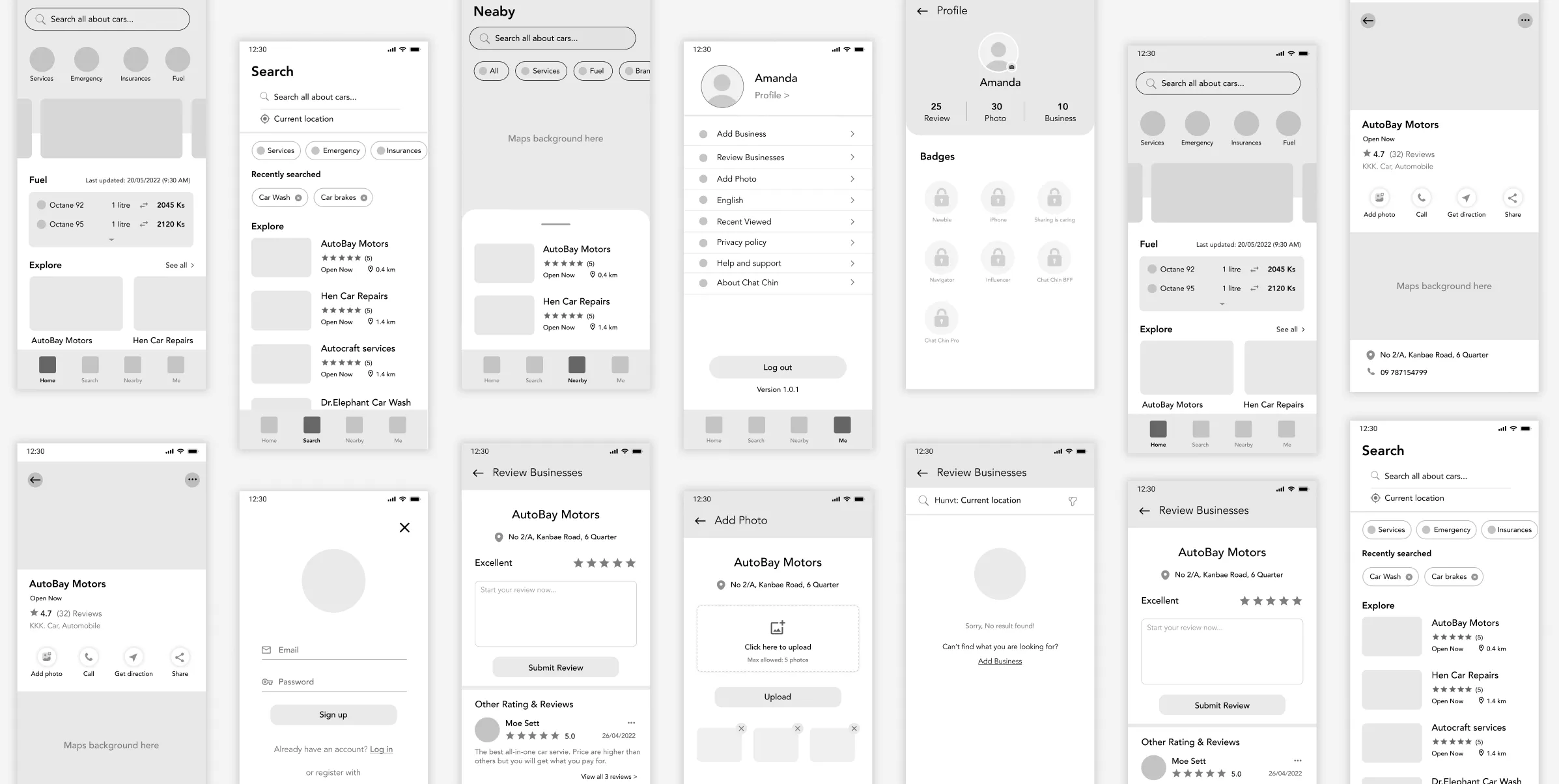
I explored my concepts visually by sketching out mid-fi wireframes based on the user flow diagrams. It helps me to have a better discussion with my product owner & development team in terms of the product requirements and also the technical feasibility.
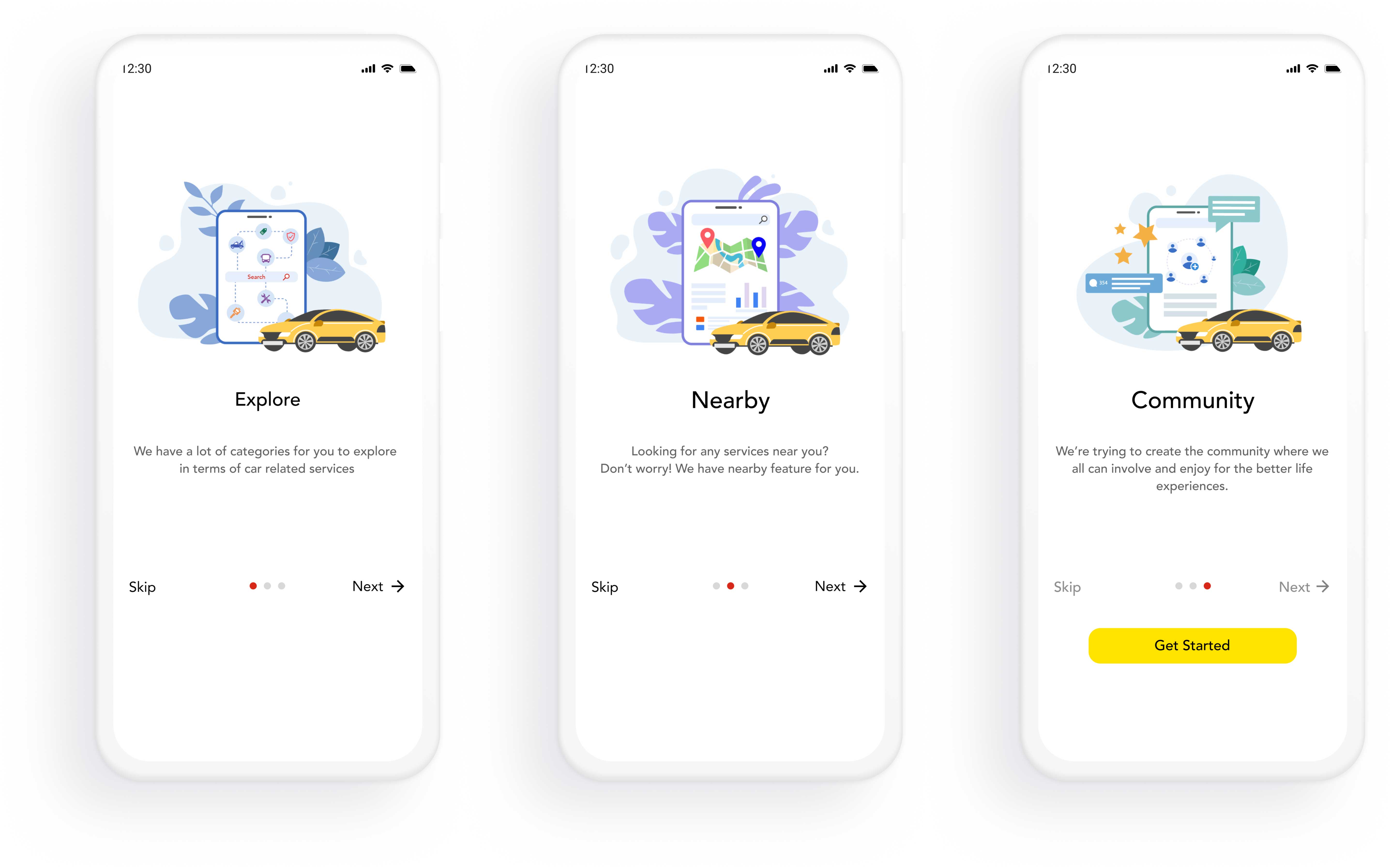
Onboarding Illustrations
Onboarding illustrations represent the core features and provide a glimpse into the overall feel of the app.
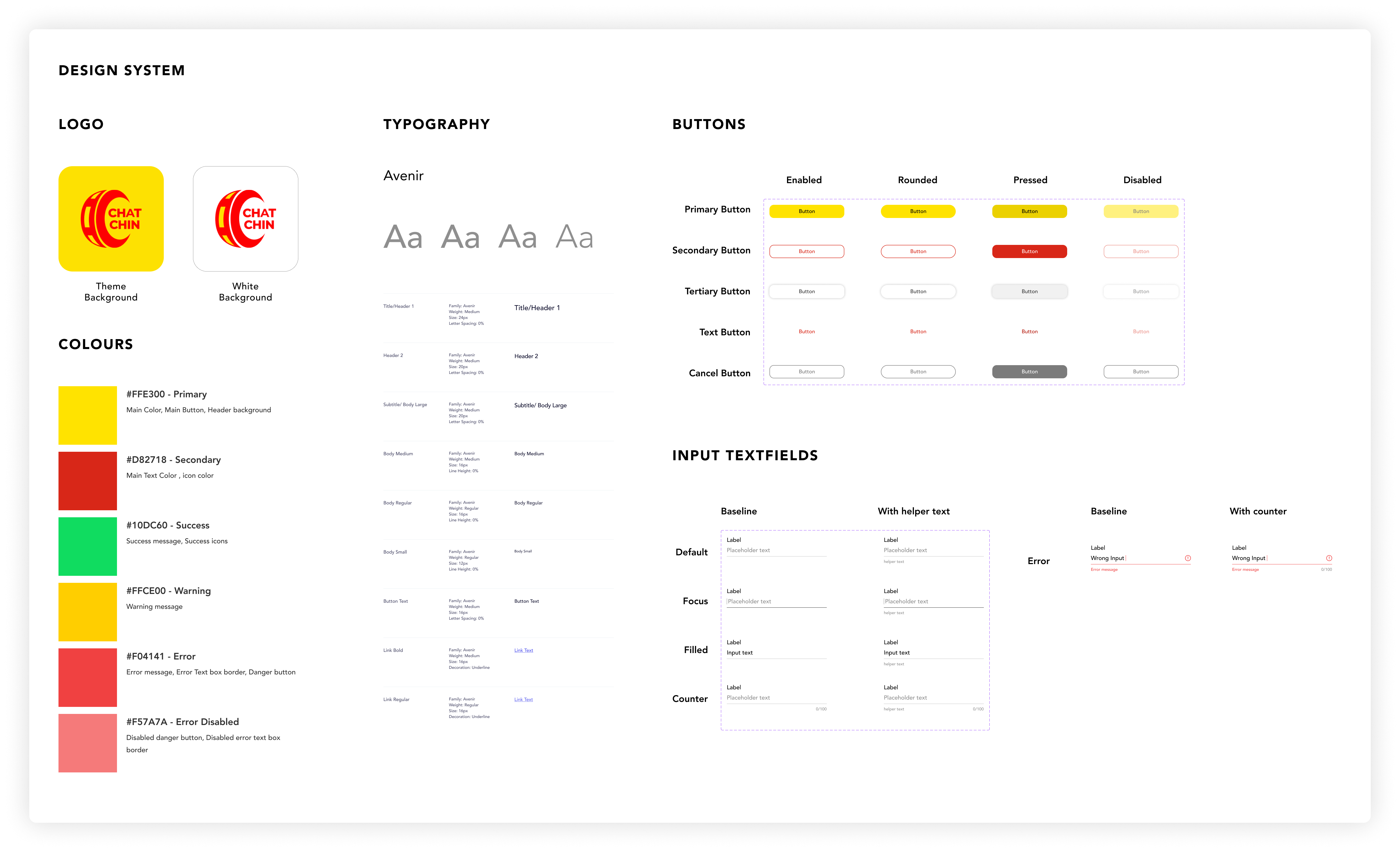
Design System
Creating design system is an important process and it plays a crucial role in the development and maintenance of successful digital products when it comes to CONSISTENCY, EFFICIENCY and ACCESSIBILITY.
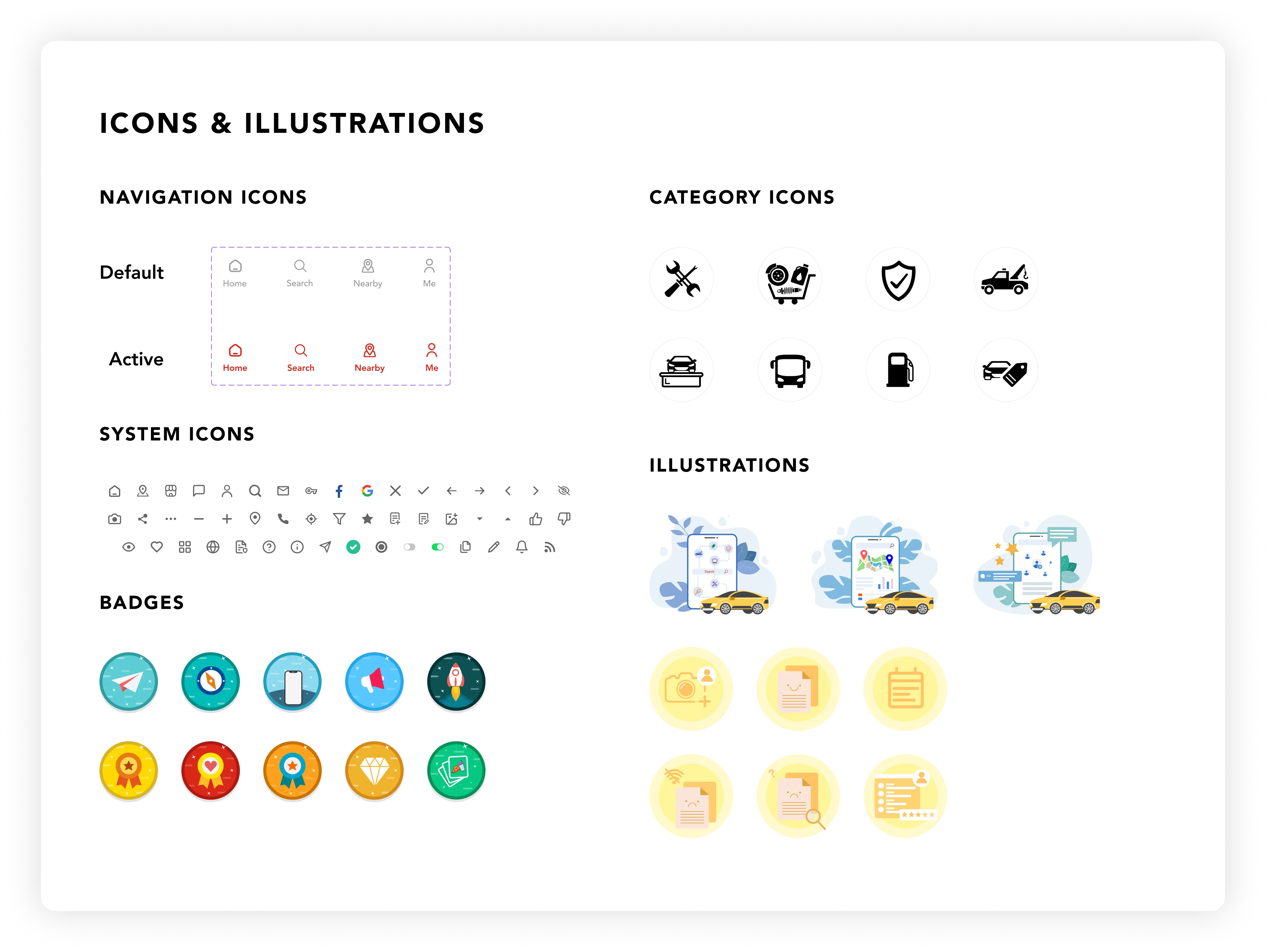
Icons & Illustrations
Then I provided the visual assets of the app to the development team for seamless integration for the user interface and visual appeal.
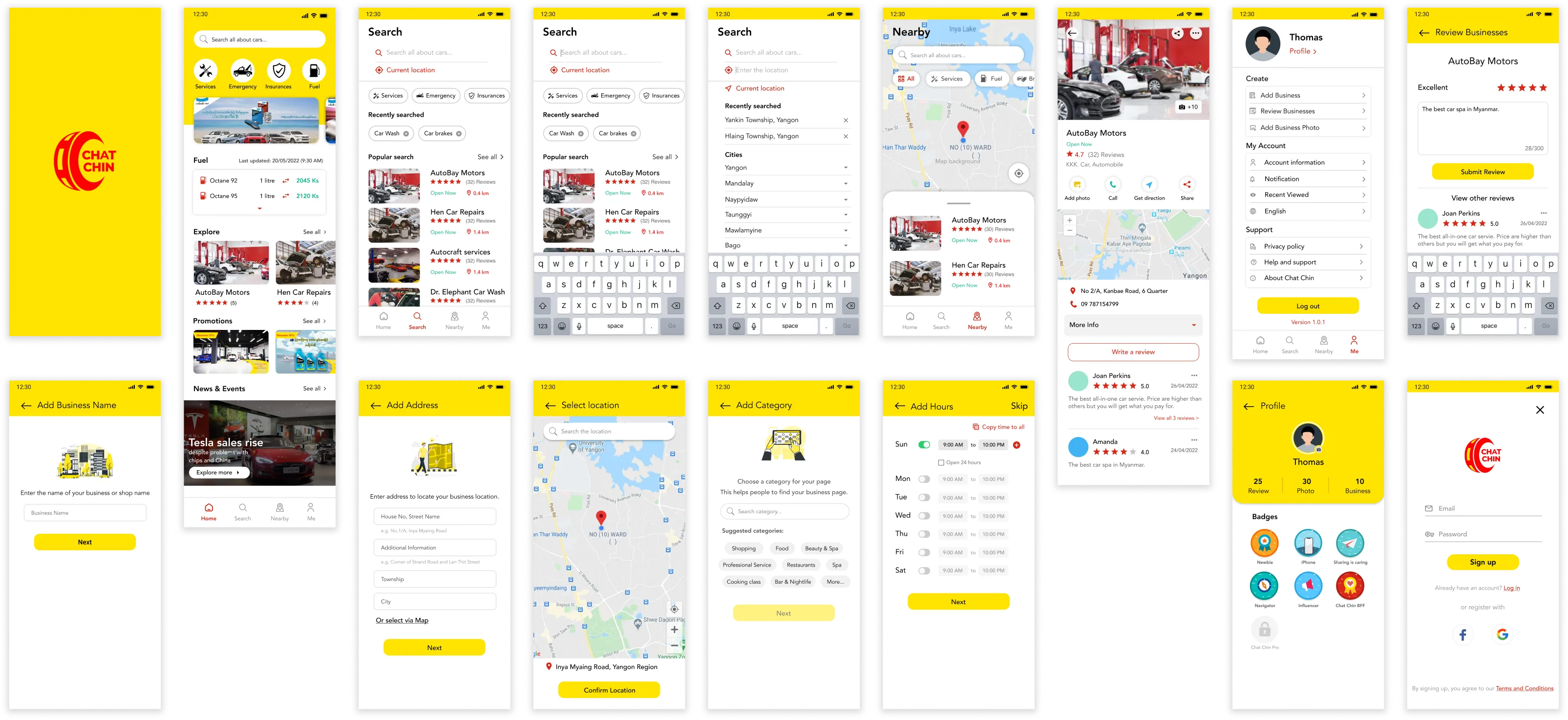
Hi-Fidelity Wireframes
Here’s some of the high-fidelity wireframes which is visually appealing yet user-friendly experiences.
The best moment as a product designer is seeing your product launched.
CHAT CHIN is available on Appstore, Playstore and Huawei App Gallery.
Usability Testing & Feedback
The development team has started implementing the app concurrently with the ongoing design stage, promoting a smooth and collaborative workflow. We conducted usability testing using the live application instead of relying on a design prototype.
This approach allowed us to gather valuable insights and feedback from users interacting with the actual product, providing a more authentic and representative assessment of its usability.
The process is we invited some of our friends and let them use the app without explaining about the flow at first.
Feedbacks
Insights
Solutions
- Users thought adding business process is too long for them to complete and they don't know how many steps required.
- Users thought it would be great to have business description in detail page.
- The interface was not performing well in terms of user experience and learnability.
- Users prefer to read more about the business when they are in business detail page.
- Combine the pages into one and simplify the interface to complete the adding business process.
- Add one more section about business description in detail page.
Feedbacks
- 1) Users thought adding business process is too long for them to complete and they don't know how many steps required.
- 2) Users thought it would be great to have business description in detail page.
Insights
- Based on feedback no (1), The interface was not performing well in terms of user experience and learnability.
- Based on feedback no (2), Users prefer to read more about the business when they are in business detail page.
Solutions
- Combine the pages into one and simplify the interface to complete the adding business process.
- Based on feedbacks no (2), Users prefer to read more about the business when they are in business detail page.
Design Solutions
Based on feedbacks and suggestions that we collected from the usability testing, I discussed with my product owner about the insights and came up with the design solutions.
Old flow: many unnecessary pages that user have to go through just to accomplish a single task.

New flow: users can see what information they need to fill out in one single page to complete add business process.
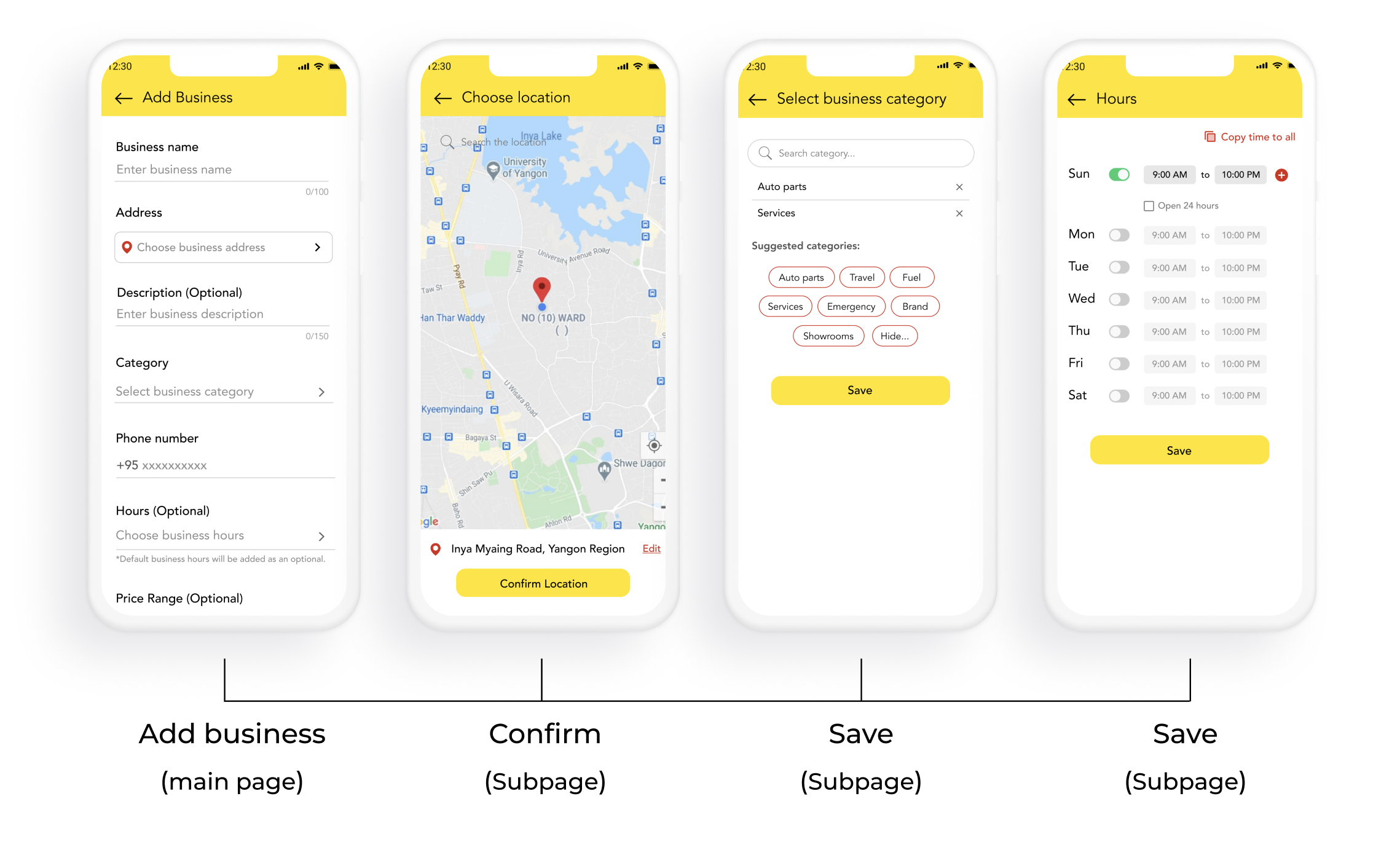
Since the design has been discussed and revised, the development team is ready to implement the new flow by setting up the sprint planning in Jira.
Website
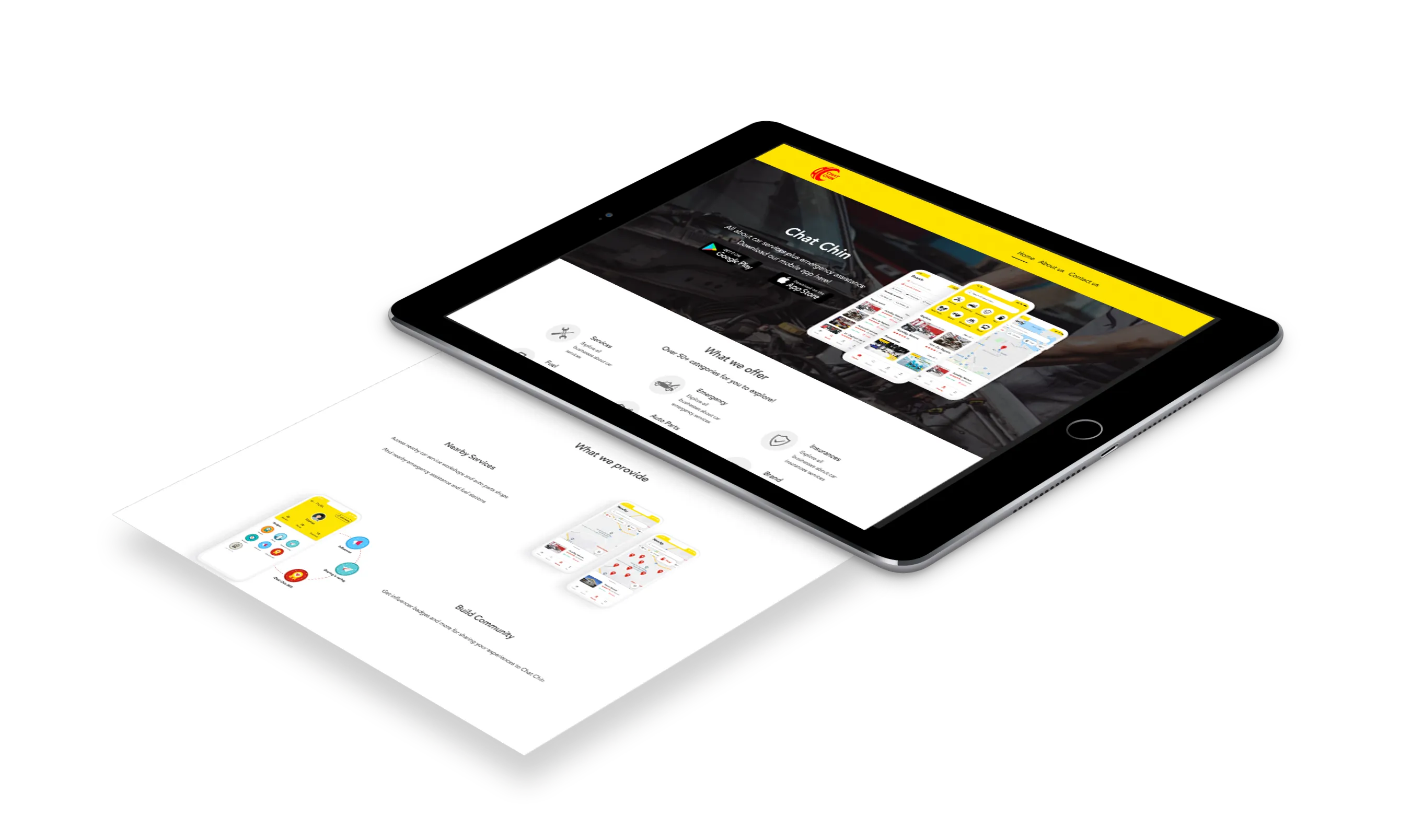
Regarding the product requirements, I had the opportunity to delve into web development with a foundational understanding of HTML, CSS, and Bootstrap. I developed Chat Chin website by using WordPress platform. Engaging in web development as a product designer is an opportunity to embrace challenges and continually expand one's knowledge.
What I learned working for Chat Chin
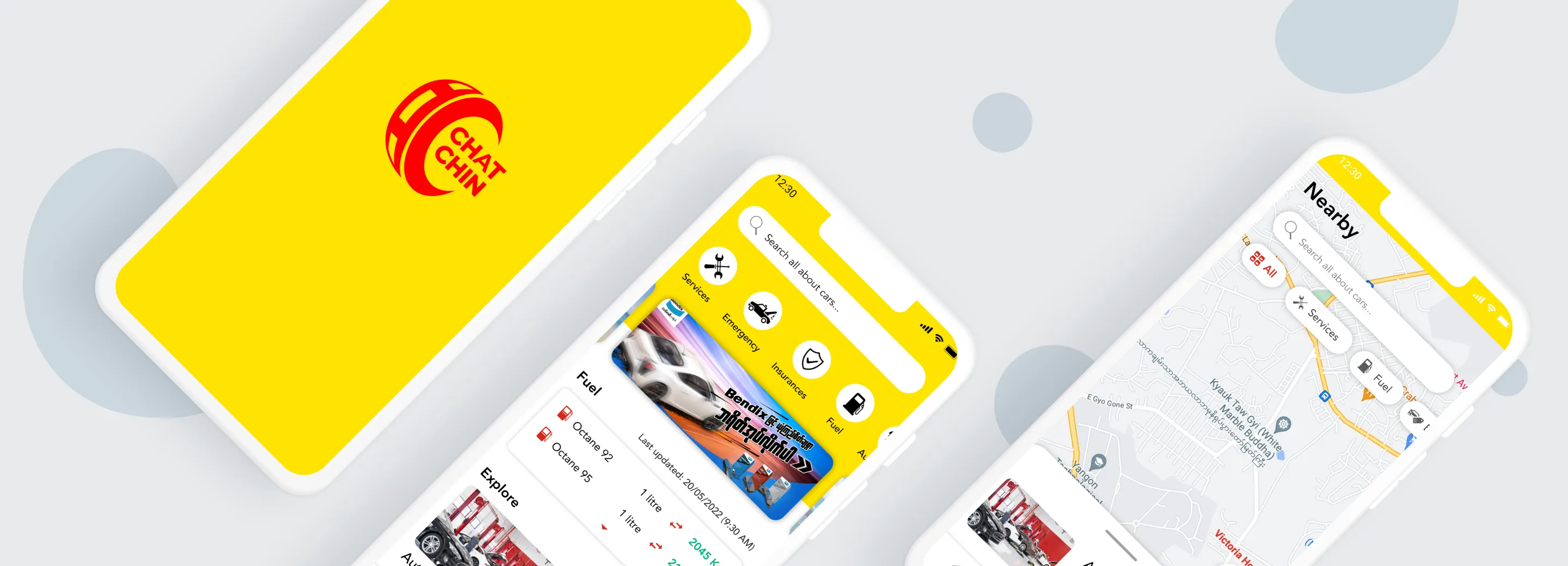
Next, we are working on releasing the first version of Chat Chin on App Store and Play Store. I created graphics tailored for App Store and Play Store screenshots, highlighting the app's core features.
Then, I also developed website for Chat Chin. As a UI/UX designer, I craft visually appealing interfaces and develop responsive websites using HTML, CSS, and Bootstrap framework. Check out the website at www.chat-chin.com
Chat Chin is now available in Appstore, Play store and Huawei App gallery.
